TextLink
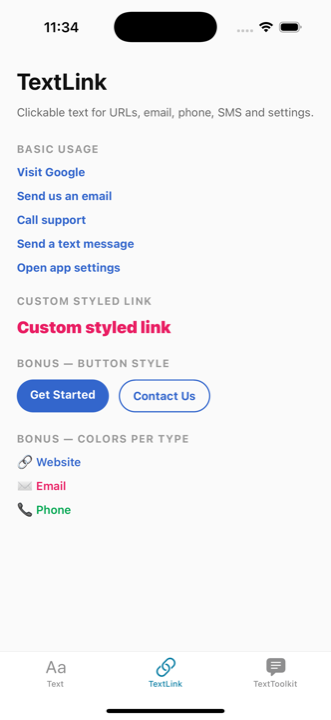
The TextLink component renders clickable text that can open URLs, emails, phone numbers, SMS, or device settings.
Basic Usage
tsx
import { TextLink } from '@nolasco7a/react-native-text-toolkit';

// URL link
<TextLink text="Visit Google" type="url" value="https://google.com" />

// Email link
<TextLink text="Send us an email" type="email" value="hello@example.com" />

// Phone link
<TextLink text="Call support" type="phone" value="+1234567890" />

// SMS link
<TextLink text="Send a text message" type="sms" value="+1234567890" />

// Settings link
<TextLink text="Open app settings" type="settings" />
Custom Styled Link
style accepts any StyleProp<TextStyle>, giving you full control over the link's appearance.
tsx
<TextLink
  text="Custom styled link"
  type="url"
  value="https://github.com"
  style={{ fontSize: 20, fontWeight: "900", textDecorationLine: "none", color: "#E91E63" }}
/>
Props
| Prop | Type | Default | Description |
|---|---|---|---|
text | string | - | The text to display |
type | "email" | "phone" | "url" | "sms" | "settings" | - | Type of link action |
value | string | - | The link value (not required for settings) |
style | StyleProp<TextStyle> | { fontWeight: "bold", textDecorationLine: "underline", color: "#3366CC" } | Custom styling for the link |